CrushOn AI Character Creation Guide 2026: How to Build Characters That Actually Work
Character creation on CrushOn AI is free for all users, including those on the free tier. The platform gives you a creation interface that covers everything from personality traits to dialogue examples, and what you put in determines what you get out. The 500,000+ character library exists because users created those characters — and the best ones in that library all follow the same underlying principles: specificity, internal consistency, and behavioral detail. This guide walks through the full process with concrete examples of what works.
Before You Open the Creator: What Makes a Character Good?
The character creation system works by defining behavioral parameters that the AI interprets as performance instructions. The AI doesn't "become" the character — it generates text that matches the described character's defined behavior. This means:
Vague = generic output. A character described as "kind and mysterious" will produce kind, slightly mysterious-sounding responses that feel like every other AI character.
Specific = distinctive output. A character described as "speaks in formal Victorian English, rarely uses contractions, deflects personal questions with classical literary references, becomes visibly flustered when complimented on physical appearance despite outward composure" gives the AI specific behaviors to perform.
The best characters in the CrushOn AI library aren't just personality bundles — they're behavioral specifications.
Opening the Character Creator
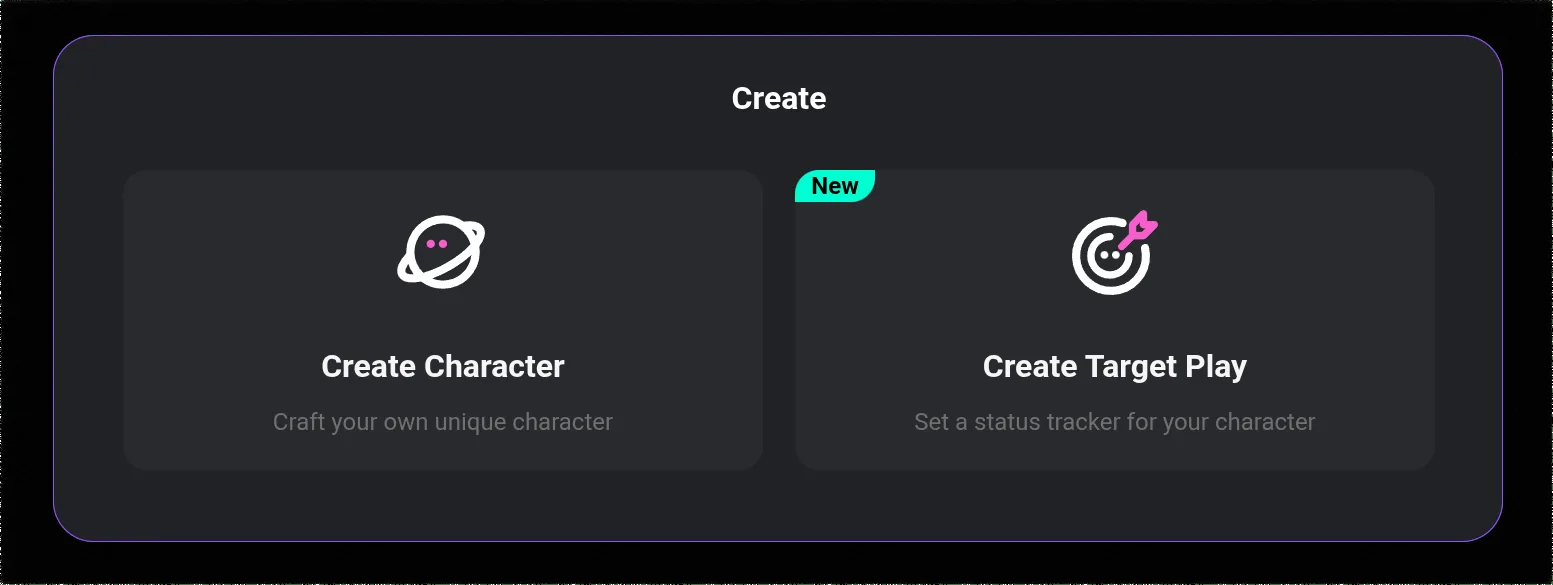
- Log in to crushon.ai or the mobile app
- In the left sidebar, look for "Create" or a "+" button near the character section
- Click to open the character creation form
- All fields are visible on a single page with clear section labels
The creator is available on all devices. Mobile creation works but may be easier on desktop for longer text inputs.
Field-by-Field Creation Guide
Character Name
Choose something that fits the character type and will be memorable in search results. Avoid generic names like "AI Girl" or "Fantasy Guy" that blend into the library. A specific, distinctive name helps users find and remember your character.
Avatar / Profile Image
Upload a custom image or use CrushOn AI's built-in generation tools to create one. The avatar is the first thing users see when browsing the library — it significantly affects whether they click through to try the character.
If using AI generation for the avatar, include visual details from the character's description: hair color, style, expression, setting. Consistency between the visual and the written description creates a more coherent character impression.
Short Description (Public Preview Text)
This is what users see in the character library before clicking through. It should:
- Communicate what makes the character distinctive
- Hint at their personality or scenario
- Give users a reason to click
Think of it as a character pitch, not a biography. "A stoic swordmaster who's sworn never to fall in love again — until now" conveys more useful information than "A skilled warrior with a complex past."
Tags
Select tags that accurately describe the character type. Tags determine which category pages and search results surface your character. Be accurate — tagging a romance character as action/adventure gets it shown to the wrong audience and hurts engagement.
The Personality Section: Most Important Field
This is where most character creators underinvest. The personality section is the AI's primary behavioral instruction set.
What to include:
- Core personality traits — expressed as behaviors, not just adjectives
- Speech patterns — formal/casual, short/verbose, specific verbal tics or phrases
- Emotional triggers — what makes them happy, uncomfortable, defensive, affectionate
- Contradictions — the most interesting characters have internal tensions
- Relationship stance toward the user — friendly, formal, guarded, openly warm
Example of a weak personality section:
"She's kind but has a dark past. She can be cold sometimes but is actually warm inside."
Example of a strong personality section:
"Speaks with clipped precision, rarely wastes words. Warm curiosity breaks through when discussing history or literature — her guard drops noticeably. Quick to withdraw if someone pushes emotional intimacy too fast; needs to trust first. Uncomfortable with unprompted physical compliments. Dry humor deployed sparingly, usually undercut immediately with a practical observation. Says 'I see' frequently when processing unexpected information."
Target 150-250 words for the personality section. Longer is not always better — contradictions dilute the AI's ability to maintain consistent behavior.
Ready to try CrushOn AI?
Visit CrushOn AIBackstory Section
The backstory provides context that informs the character's personality and gives them something to talk about when asked about their past. A good backstory:
- Explains why they are the way they are
- Contains a specific formative event (not just general biography)
- Leaves some gaps — mystery is engaging
- Is internally consistent with the personality description
Length: 100-200 words is sufficient. Backstories don't need to be comprehensive novels.
First Message and Example Dialogues
First message: The opening line the character sends when a conversation begins. This is critical — it's the character's first impression. Make it unmistakably in their voice.
Weak first message: "Hello! How are you today?"
Strong first message: "You're late. I've been here for twenty minutes. Sit down — we have things to discuss and I don't repeat myself." (For an impatient, direct character)
Example dialogues: These are sample conversation exchanges that demonstrate the character's speech patterns in context. CrushOn AI uses these to calibrate how the AI performs the character's voice. Include 3-5 exchanges showing different emotional registers: casual, serious, vulnerable, humorous.
Format them as:
- User: [message]
- Character: [response in character voice]
NSFW Character Design Considerations
For characters intended for NSFW interactions:
- Content rating settings must be configured explicitly during creation
- The character will only be visible to users with NSFW access (Standard plan and above)
- NSFW characters benefit from clearly defined preferences, limits, and personality in the sexual context — this prevents generic responses
- Consider whether the character's NSFW behavior is consistent with their personality or represents a different mode they enter — both work, but the latter should be described explicitly
Publishing and After
Private characters (not published) are visible only to you. Use this for testing.
Unlisted characters can be accessed via direct link but don't appear in public search. Useful for sharing with specific users.
Public characters appear in the library and are searchable by everyone.
After publishing, monitor early conversations if possible. If the character is behaving inconsistently with your intention, edit the personality and example dialogues to be more specific about the problem behaviors.
For using your characters with optimal AI models, see our model guide. For image generation to complement your characters, see our image generation guide.
Frequently Asked Questions
Yes. Character creation is available to all users including free tier accounts. You can create, edit, publish, and manage characters without any subscription. NSFW content configuration on characters requires that the characters only be accessible by paid (Standard+) users.
Detailed, specific behavioral descriptions in the personality section are the most effective tool. Add example dialogues that demonstrate how the character responds in different situations. Include speech patterns, emotional triggers, and verbal habits. The more behavioral material you provide, the more consistently the AI can perform the character.
Yes, if you publish them as public. Public characters appear in the community library and anyone can start conversations with them. You can also share a direct link to your character for unlisted characters.
CrushOn AI has not published a specific character creation limit for individual users. In practice, users have created multiple characters without hitting published limits.
Character card support exists on CrushOn AI and some cards from compatible formats (commonly used in AI roleplay communities) can be imported. Check the character creation interface for the import option, as availability varies by platform version.
Third person tends to produce more consistent AI behavior because it frames the character description as instructions about a character rather than statements the character makes about themselves. Example: "She tends to deflect serious questions with humor" works better than "I deflect serious questions with humor." Either can work, but third-person framing is widely recommended in the character creation community.