CrushOn AI App Download Guide 2026: Every Platform Covered
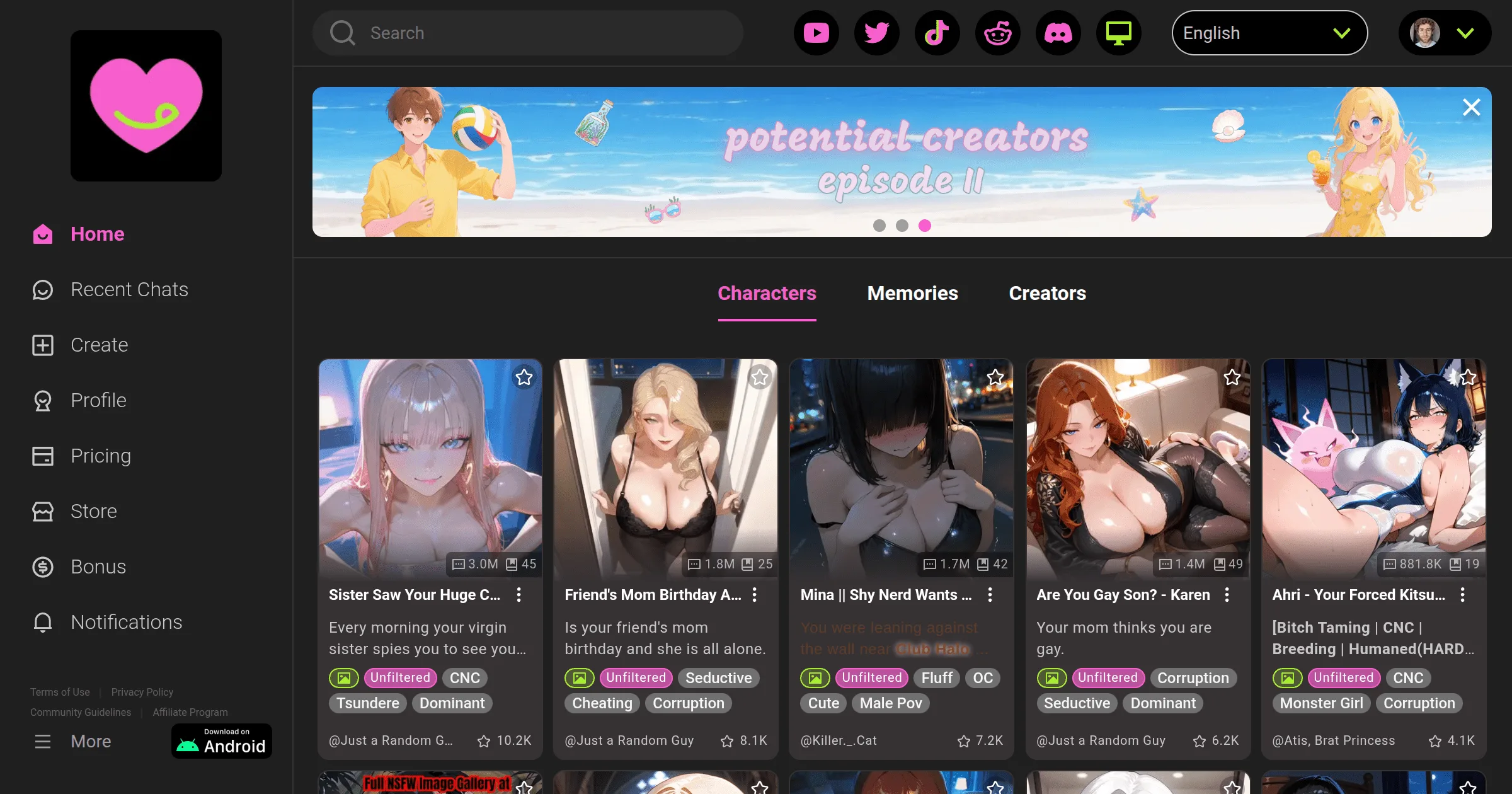
CrushOn AI works on three platforms: Android (Google Play + direct APK), iOS (web browser, limited App Store availability), and web browser at crushon.ai. The web version is identical to the mobile apps in features — for users on iOS or in regions where the app store isn't an option, it's the clearest path to full functionality. This guide covers every access method step by step.
Access via Web Browser (Fastest for Any Device)

The web version is available globally on any device with a modern browser. No download, no installation, no storage used:
- Open Chrome, Safari, Firefox, or Edge on any device
- Navigate to crushon.ai
- The full platform loads immediately
- Click "Sign Up" to create an account or "Log In" for existing accounts
Adding to your home screen on mobile:
- On iPhone (Safari): tap the Share icon > "Add to Home Screen"
- On Android (Chrome): tap the three-dot menu > "Add to Home Screen" or "Install App"
This creates a home screen shortcut that opens CrushOn AI like a native app — full-screen, with no browser address bar. It's the recommended path for iOS users in regions where the App Store version isn't available.
Android Download: Two Options
Option 1: Google Play Store (Recommended for Android)
- Open Google Play on your Android device
- In the search bar, type "CrushOn AI"
- Locate the official app from Peekaboo Tech Inc.
- Tap Install
- Once installed, open the app and sign up or log in
The Google Play version is available in most countries and updates automatically when new versions are released. Android 5.0 (Lollipop) or higher is required.
Option 2: Direct APK Download (Android, Regional Unavailability)
If Google Play shows "Not available in your country":
- Open a browser on your Android device and go to crushon.ai
- Find the "Download for Android" or direct APK download link on the site
- Download the APK file (the latest version is approximately v6.5.x in 2026)
- Before opening the file, enable sideloading:
- Android 8+: go to Settings > Apps > Special App Access > Install Unknown Apps > select your browser > Allow
- Older Android: Settings > Security > Unknown Sources > Enable
- Open the downloaded APK from your notification drawer or file manager
- Tap Install and confirm
- Open CrushOn AI and sign in
The official APK from crushon.ai is safe — it's the same signed application as the Play Store version. Do not download APK files from third-party sites.
iOS Access: Web Version Is the Reliable Path
The CrushOn AI iOS app has a complicated history with Apple's App Store. Apple's content policies conflict with CrushOn AI's NSFW features, resulting in the app being removed from some regional App Stores. Availability has changed multiple times since 2023.
Check if the app is available in your App Store:
- Open the App Store on your iPhone or iPad
- Search "CrushOn AI"
- If available, tap Get to download (iOS 14+ required)
If the app is not available in your App Store:
Use the Safari web version — this is the reliable iOS path:
- Open Safari and navigate to crushon.ai
- The full platform loads with all features
- For convenience, add to your home screen: tap Share > "Add to Home Screen"
- The shortcut opens CrushOn AI in full-screen mode
There is no functional difference between the web version and the app in terms of what you can do. The web path works on every iOS device.
Sign-Up: Creating Your Account
The account creation process is identical across all platforms:
Step 1: On the crushon.ai homepage or app, click "Sign Up"
Step 2: Choose your registration method:
- Email and password (most common)
- Google account (one-click)
- Other social login options
Step 3: Enter your email address and create a password
Step 4: Confirm you are 18 years of age or older — this is required
Step 5: Verify your email address if a confirmation message is sent to your inbox
Step 6: Your account is ready — the free tier (50 messages/day) activates immediately
No payment information is required for account creation. The free tier is available from the moment you create your account.
Ready to try CrushOn AI?
Visit CrushOn AIComparing Access Methods
| Access Method | Best For | Download Needed | All Features | Notifications |
|---|---|---|---|---|
| Android (Play Store) | Regular Android users | Yes | Yes | Push notifications |
| Android (APK) | Regional/Play Store unavailable | Yes | Yes | Push notifications |
| iOS (App Store) | iPhone users in supported regions | Yes | Yes | Push notifications |
| Web (Mobile) | iOS or universal access | No | Yes | Browser notifications |
| Web (Desktop) | Desktop/laptop users | No | Yes | Browser notifications |
For most users on desktop computers, the web version is the natural choice and runs identically to the mobile app. For daily mobile users, the Android app provides the most integrated experience including push notifications.
Common Download Problems
"App Not Available in Your Country"
This message in the Play Store or App Store means geographic restrictions apply. Solutions:
- Use the web version at crushon.ai — no regional restrictions
- Download the Android APK directly from the official site
- For App Store: use an account in a region where the app is listed (this has implications for other purchases)
APK Fails to Install
If the APK installation fails:
- Verify "Install Unknown Apps" permission is enabled for your browser or file manager
- Ensure sufficient storage space (the app requires a few hundred MB free)
- Check that your Android version is 5.0 or higher
- Re-download the APK in case the first download was incomplete
App Crashes on Launch
- Verify you're running the latest version (check crushon.ai for the current APK version)
- Restart your device and relaunch
- Clear the app cache (Settings > Apps > CrushOn AI > Storage > Clear Cache)
- Ensure your Android version meets the 5.0 minimum
For ongoing technical issues after installation, see our CrushOn AI troubleshooting guide. For information about what you can access after downloading, see our free tier guide.
Frequently Asked Questions
The easiest method: open Google Play, search "CrushOn AI," and tap Install. If the app isn't available in your Play Store region, visit crushon.ai on your Android device and download the APK directly from the official site.
Yes. The full-featured web version at crushon.ai requires no download and works on any device with a modern browser. It includes all features available in the mobile apps.
The iOS App Store availability of CrushOn AI varies by region due to Apple's content policies. If you can't find it, use the web version at crushon.ai in Safari — it provides identical functionality without requiring an App Store download.
The APK available directly from crushon.ai is the official, digitally signed application from Peekaboo Tech Inc. It is safe to download and install. APK files from third-party download sites are not verified and may contain modified or malicious versions.
Android: version 5.0 (Lollipop) or higher. iOS: version 14 or higher. Web version: any modern browser (Chrome, Safari, Firefox, Edge) on any operating system.
Yes. An account is required to use CrushOn AI's features. Account creation is free and requires only an email address (or Google/social login). No payment information is needed for the free tier. The sign-up process takes approximately two minutes.